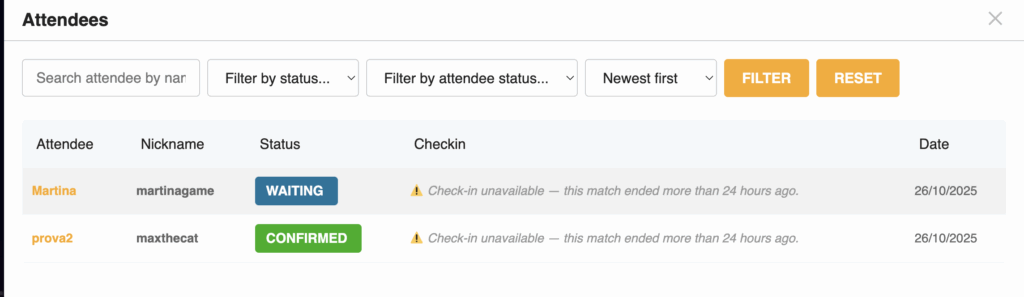
Check-ins are the method through which the platform confirms that two people have actually connected to play together outside of GameNight. If no check-in is done, the platform does not record that two users met to play.
Only the Host can mark check-ins and remove them if necessary.
Attendees can only undo check-in in case of errors.
Check-ins can be completed starting 10 minutes before the Match time and up to 24 hours after the Match starts.
A reminder email is sent 8 hours before the Match and 6 hours after the Match has started.
Only users who have a completed check-in receive points and Stamina refunds.
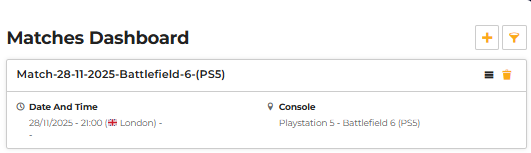
To perform check-ins, go to the “Matches” tab, then to “My Matches”, and click on it.
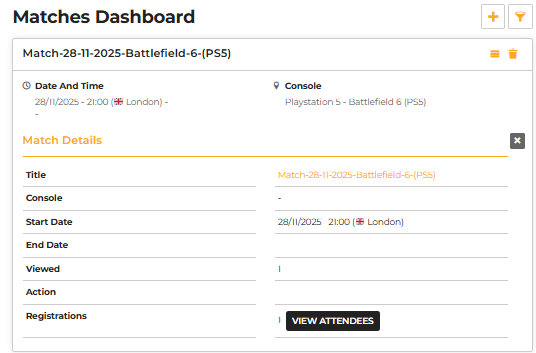
A menu will open as shown in the second image; then you need to press the menu expansion icon.
Once the expanded menu is open, press “View Attendees”.
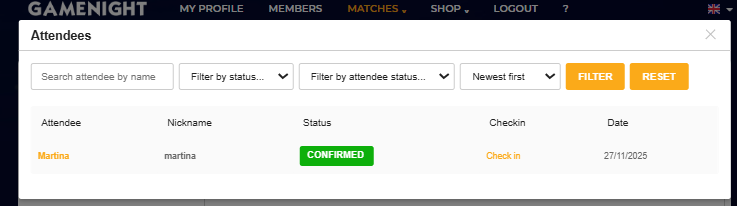
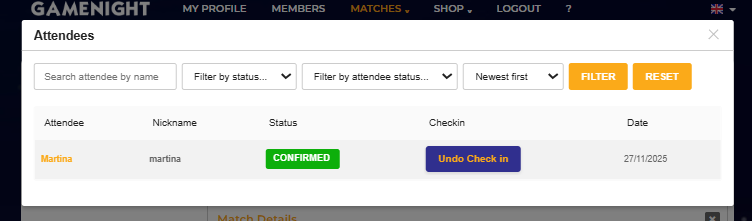
After this, a panel will appear where it is possible to complete the check-in, as shown in the image.
If instead you need to undo a check-in, the corresponding button will appear when an attendee has already been checked in.

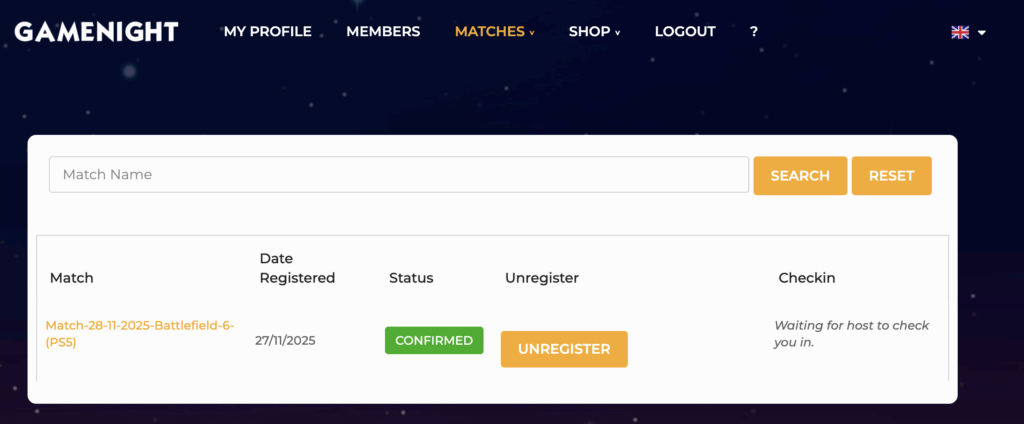
As an attendee, a message will appear while you are waiting to be checked in.
After 24 hours, check-in is no longer possible.